Knowledgebase
Open navigation
Open search
Search
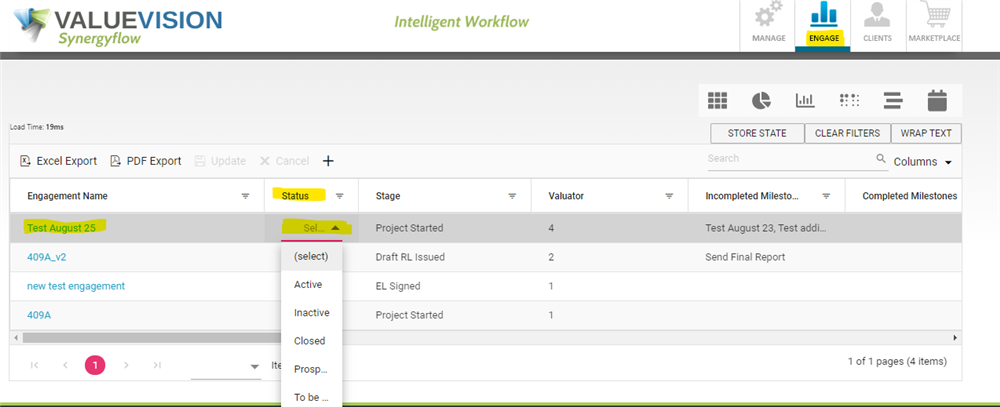
To update the status of an Engagement
Go to 'Engage' section.
Search for the engagement you want to view in search box shown in the table.
Scroll right and find the column named "Status". Double click on the stage column agianst the engagement.
Choose the status from drop-down menu.
Categories:
ENGAGEMENT DASHBOARD
All Knowledgebase
Related Articles
No Related Articles.
Comments:
No comments for this article.
You need to be logged in to write comments.

Comments:
No comments for this article.
You need to be logged in to write comments.