Knowledgebase
Open navigation
Open search
Search
Manage Document Categories
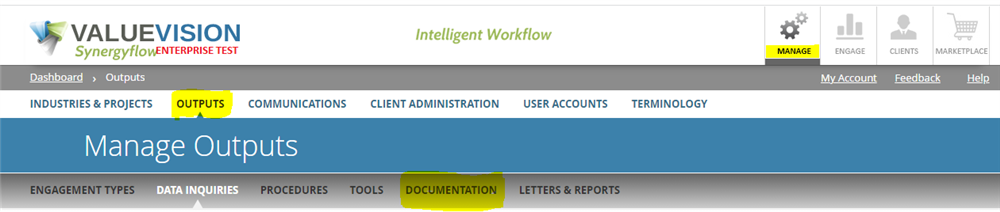
Go to Manage > Output > Documentation.
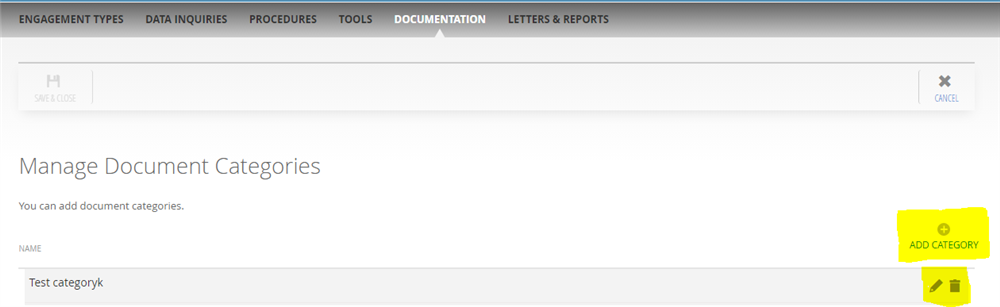
You can then add/ edit/ delete the document category by:
Add:
By clicking on 'Add category.'
Edit:
By clicking on 'pencil' sign.
Delete:
By clicking on 'trash can' sign.
Categories:
MANAGE DOCUMENT CATEGORIES
All Knowledgebase
Related Articles
No Related Articles.
Comments:
No comments for this article.
You need to be logged in to write comments.
Comments:
No comments for this article.
You need to be logged in to write comments.