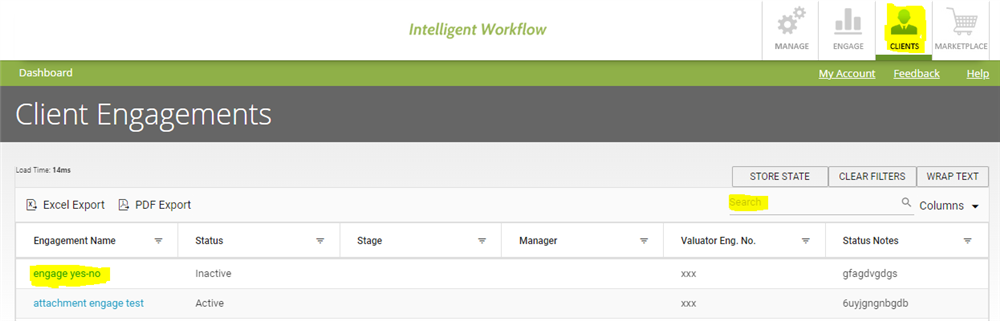
Go to Clients
- Search for the engagement you want to view in search box shown in the table.
- Click on the engagement name (in blue font).
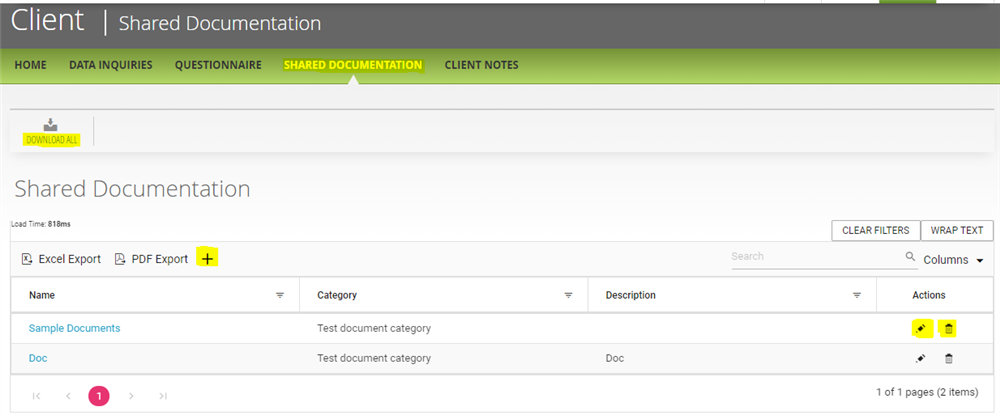
- Go to "Shared Documentation".
- In this section you can add documents which could be shared with the clients for a specific engagement.
- Additionally, you can edit a shared document as well by clicking on pencil icon besides the document shared in the table.
- To download all the data shared you can click on "Download All".
Comments:
No comments for this article.
You need to be logged in to write comments.