- Go to 'Engage' section.

- Click on the engagement name.

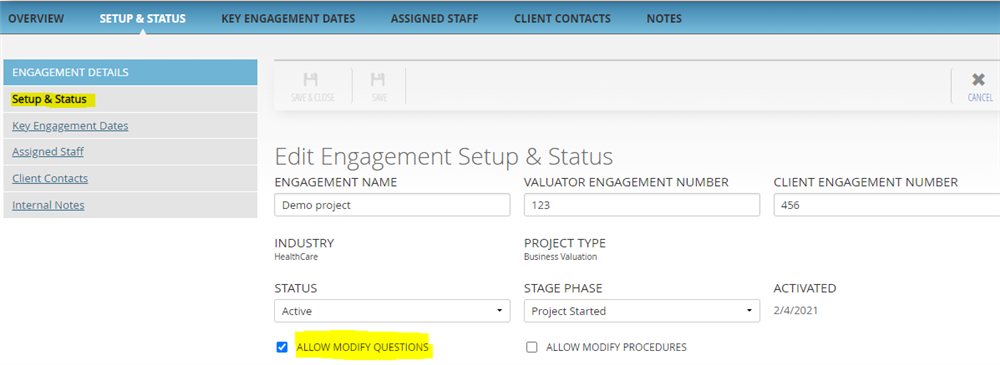
- Make sure that 'Allow modify question' is ticked. If it is not ticked, then click on 'Setup & Status' and tick mark 'Allow modify questions' otherwise you won't be able to make any changes to questions in the engagement.
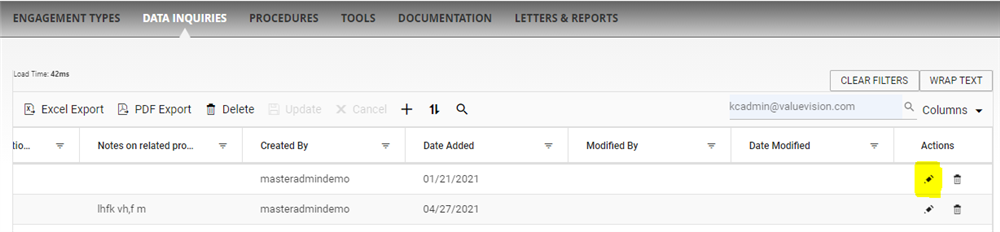
- Click on 'Data inquiries.'

- Click on 'pencil' sign appearing against the question you want to edit.
- Make the required changes and click on 'Save & Close.'
Comments:
No comments for this article.
You need to be logged in to write comments.