Knowledgebase
Open navigation
Open search
Search
How do i edit a report or template?
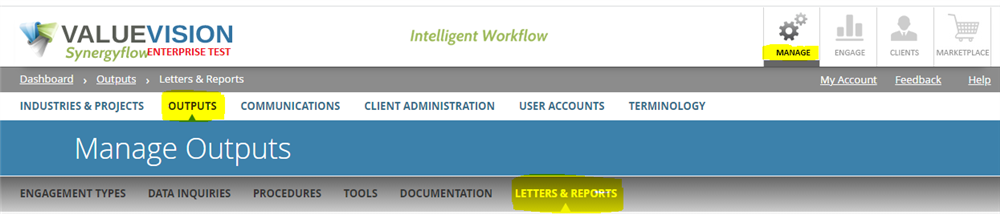
Go to Manage > Output > Letters & Reports.
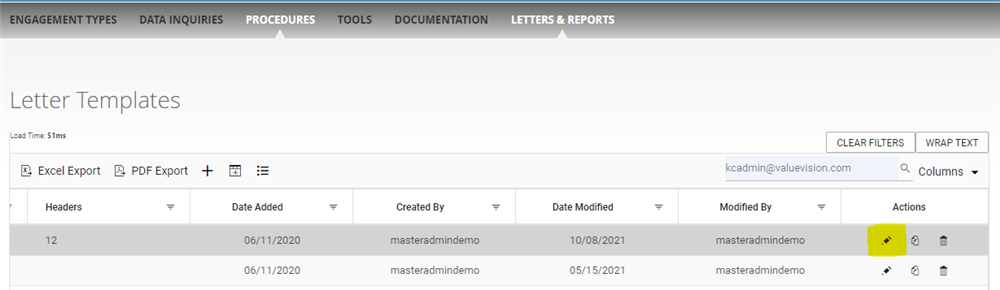
Go to right end side of the page and click on the 'pencil' sign appearing against the letter template you want to edit.
Make the required changes and then click on 'Save & close.'
Categories:
MANAGE LETTERS AND REPORTS
All Knowledgebase
Related Articles
No Related Articles.
Comments:
No comments for this article.
You need to be logged in to write comments.
Comments:
No comments for this article.
You need to be logged in to write comments.