- Go to Manage > Output > Data inquiries.
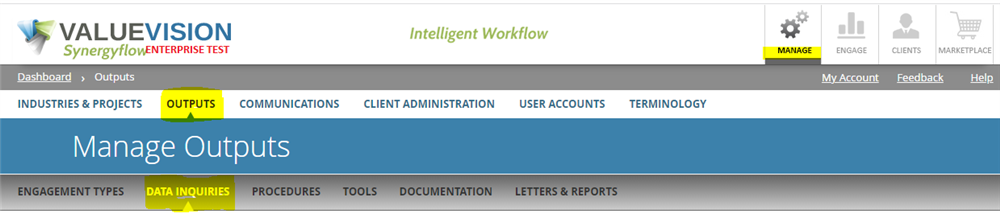
- Click on the 'Trash can' icon appearing against the question you want to delete.
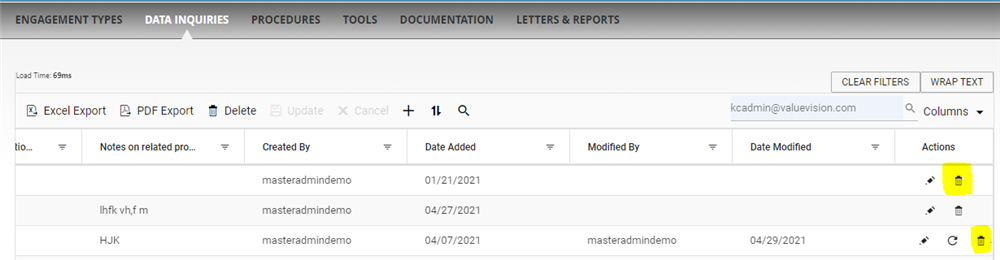
- It shall be noted here that the data inquiry gets permanently deleted only if you have inactivated it earlier. If the data inquiry is active, you have to inactivate it by clicking on 'Trash can' icon and then permanently delete it by clicking on 'Trash can' icon again.
Comments:
No comments for this article.
You need to be logged in to write comments.