Knowledgebase
Open navigation
Open search
Search
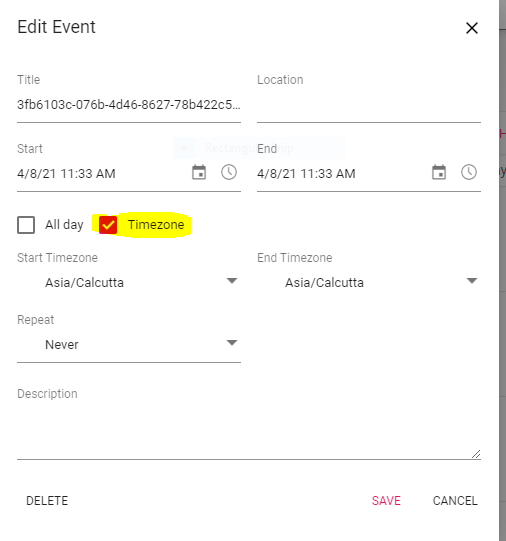
Editing an event’s time zone in calendar for a particular engagement.
Go to Engage Section.
Go to Calendars.
Double click on the event which you want to edit.
Tick Mark the time zone and add the required time zone.
Categories:
ENGAGEMENT DASHBOARD
All Knowledgebase
Related Articles
No Related Articles.
Comments:
No comments for this article.
You need to be logged in to write comments.

Comments:
No comments for this article.
You need to be logged in to write comments.