To download the client provided information in a specific engagement, please follow these steps:
- Go to 'Engage' section.

- Click on the engagement name.
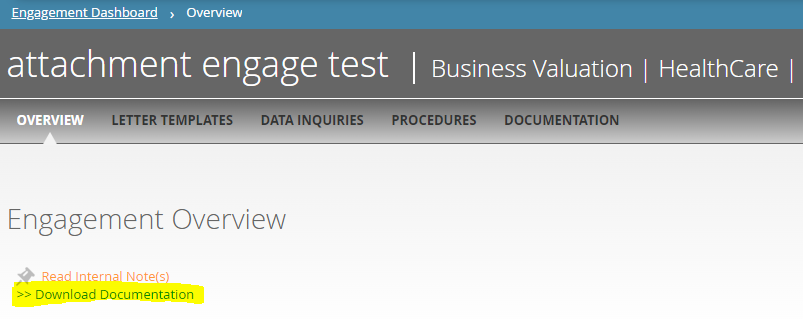
- Click in download Documentation in the overview section.
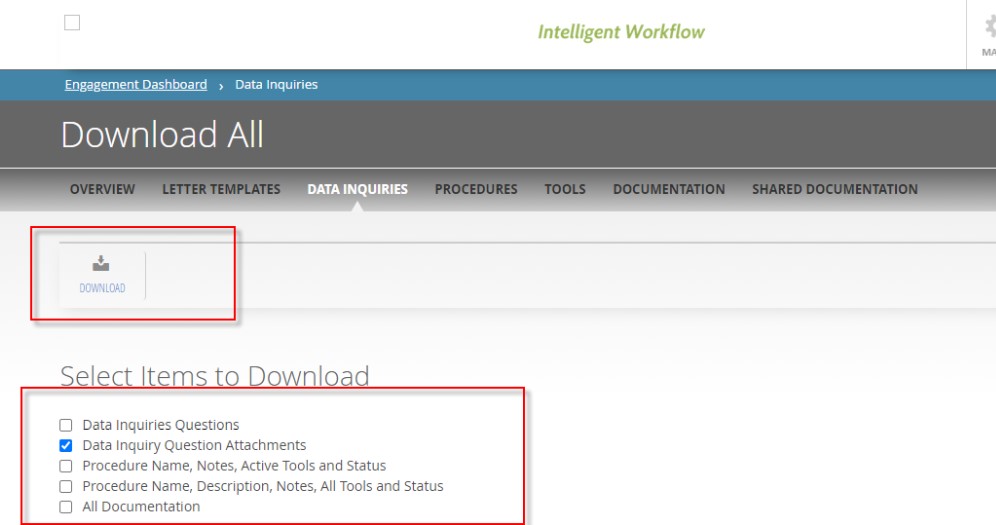
- Then select which information you need to download
- in some cases, if the zip file is very big (more than 100 MB) you will need a third-party tool like WinRAR to unzip it.
Comments:
No comments for this article.
You need to be logged in to write comments.