- Go to Manage > Client administration.

- Click on the name of the company of which you want to delete a client account.
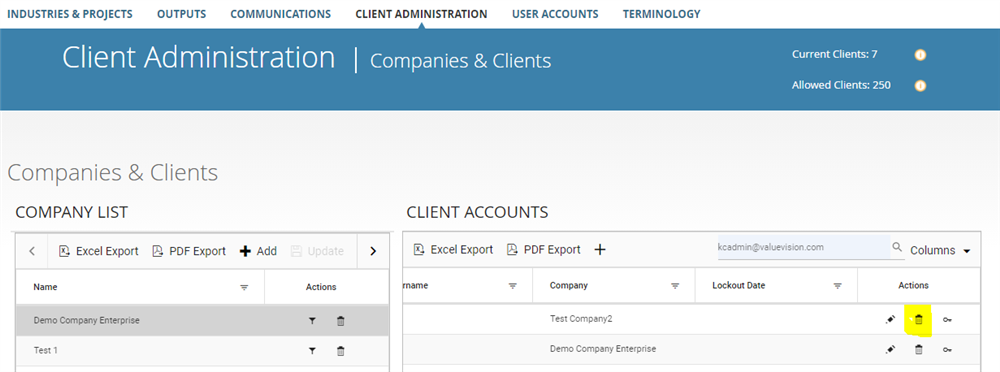
- In the right column, list of client accounts related to that company will appear. Go to right end side of the list of client accounts and click on 'bin' sign appearing against the client account you want to delete.
Comments:
No comments for this article.
You need to be logged in to write comments.