Knowledgebase
Open navigation
Open search
Search
Delete an Internal Document in an Engagement.
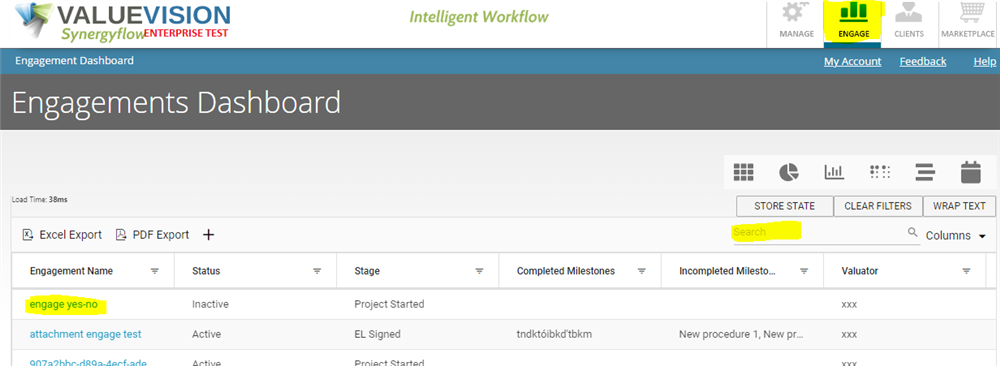
Go to Engage Section.
Search for the engagement you want to view in search box shown in the table.
Click on the engagement name (in blue font).
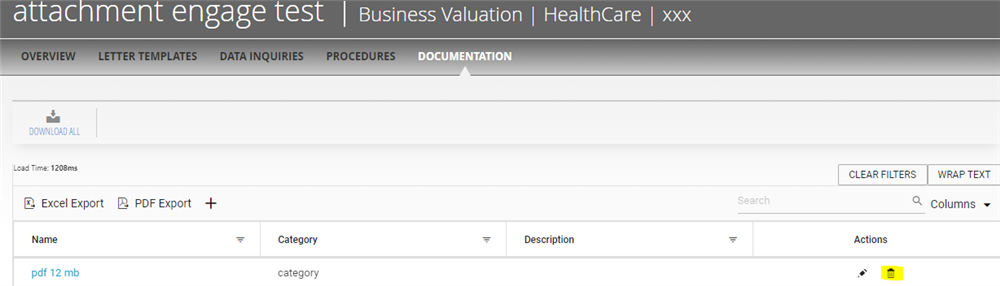
Click on Documentation.
Click on ‘Bin’ sign available on the page.
Categories:
ENGAGEMENT DOCUMENTATION
All Knowledgebase
Related Articles
No Related Articles.
Comments:
No comments for this article.
You need to be logged in to write comments.
Comments:
No comments for this article.
You need to be logged in to write comments.