Knowledgebase
Open navigation
Open search
Search
Creating a Duplicate of the Tool
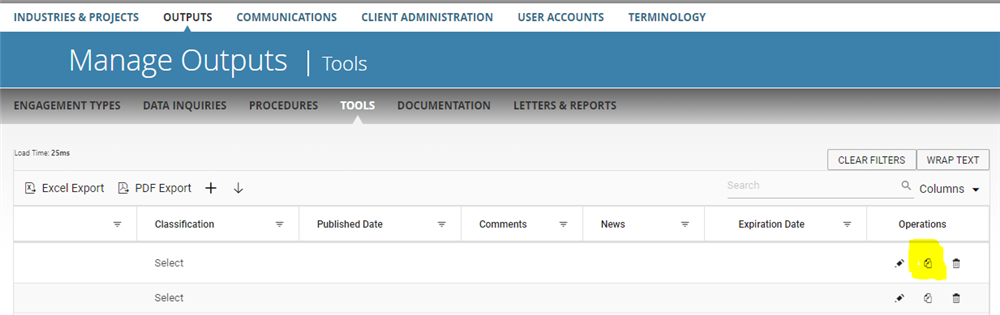
Go to Manage > Output > Tools.
Go to right end side of the page and click on 'duplicate tool' icon to create a duplicate of the tool.
Categories:
MANAGE TOOLS
All Knowledgebase
Related Articles
No Related Articles.
Comments:
No comments for this article.
You need to be logged in to write comments.

Comments:
No comments for this article.
You need to be logged in to write comments.