Knowledgebase
Open navigation
Open search
Search
Change password of user account.
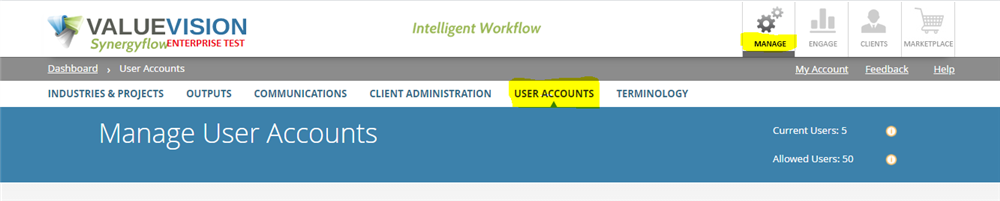
Go to Manage > User Accounts.
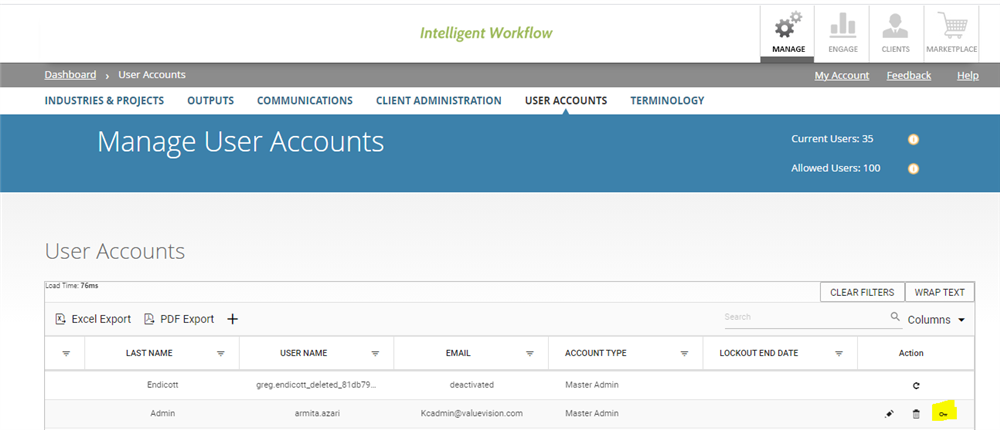
Go to right hand side of the page and click on the 'key' sign appearing against the user account of which you want to change the password.
Enter the new password and click on 'update.'
Categories:
MANAGE USER ACCOUNTS
All Knowledgebase
Related Articles
No Related Articles.
Comments:
No comments for this article.
You need to be logged in to write comments.
Comments:
No comments for this article.
You need to be logged in to write comments.