- Go to Engage section.

- Search for the engagement you want to view in search box shown in the table and click on the engagement name (in blue font).

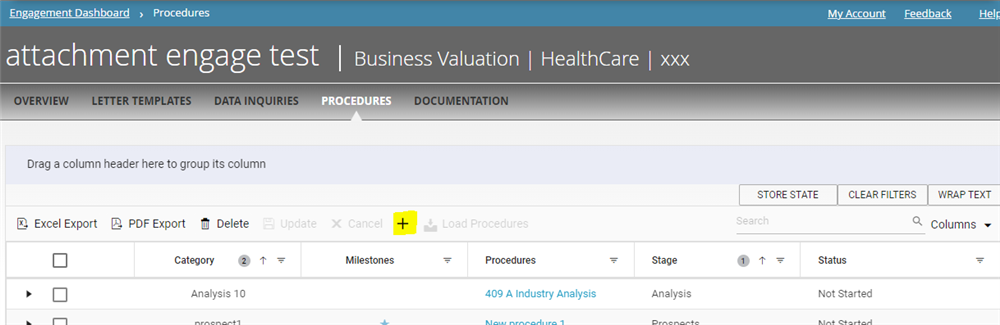
- Click on 'Procedures.'

- Click on 'Plus Icon (Highlighted in Yellow)'
- Add the required details
- Name
- Assigned To (select from the drop-down menu)
- Due Date (select from the calendar menu or type manually)
- Procedure Guidance
- Comment
- A new procedure will be added exclusive to this engagement (it will not reflect in manage section).
Comments:
No comments for this article.
You need to be logged in to write comments.