Knowledgebase
Open navigation
Open search
Search
Add a due date to an engagement procedure.
Go to 'Engage'
Search for the engagement you want to view in search box shown in the table.
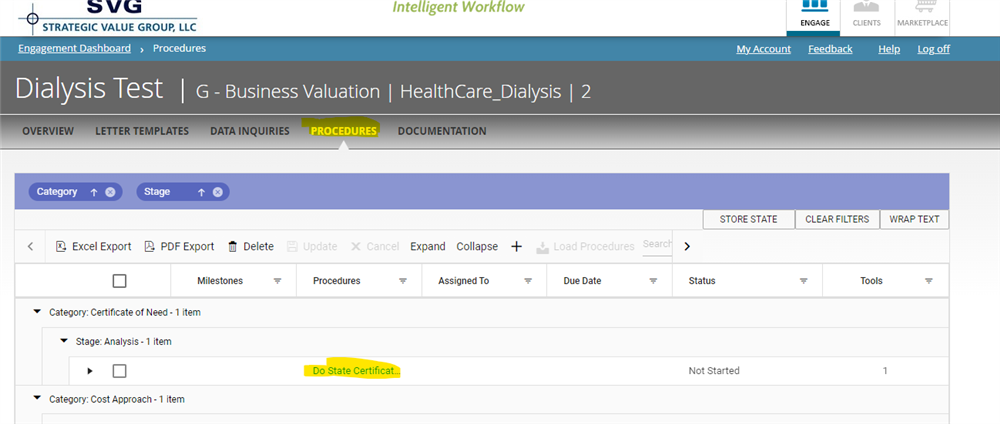
Scroll to the right >> Click on "Procedures"
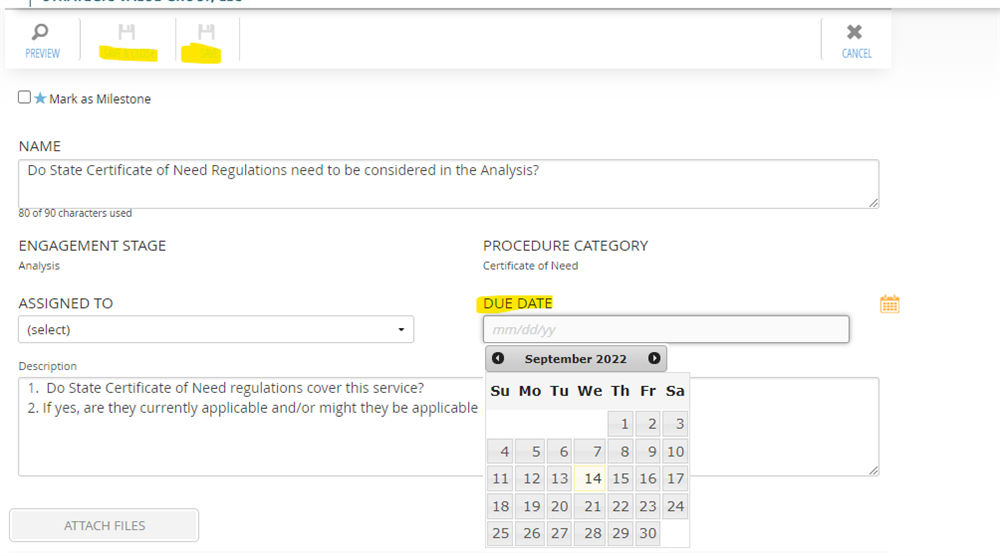
Select the procedure you want to add the due date.
Select the date. and Click on "Save/ Save & Close"
Categories:
ENGAGEMENT PROCEDURES
All Knowledgebase
Related Articles
No Related Articles.
Comments:
No comments for this article.
You need to be logged in to write comments.
 - Copy 1.PNG)
Comments:
No comments for this article.
You need to be logged in to write comments.